· Dark Oak · 8 min read
The agent demos that go viral all have one thing in common: nothing connected to a real business system. They book a fake flight, summarise a fake email, or write a poem about a fake company. The moment you point the same setup at a live accounts package, an ERP with thirty years of accumulated quirks, or a CRM whose custom fields nobody fully understands, the wheels come off.
We spend most of our time on that second category — agents that have to do real work against real systems for clients in ecommerce, manufacturing and professional services. After a few of these builds we keep coming back to the same shape, and we think it’s worth writing down, because there’s not a lot out there between the toy notebook demos and the enterprise vendor slide decks.
This post is aimed at a competent technical reader — a CTO at a 30-person company, or an in-house developer who’s been asked “what would a proper version of this look like?” and wants a straight answer.
The four moving parts
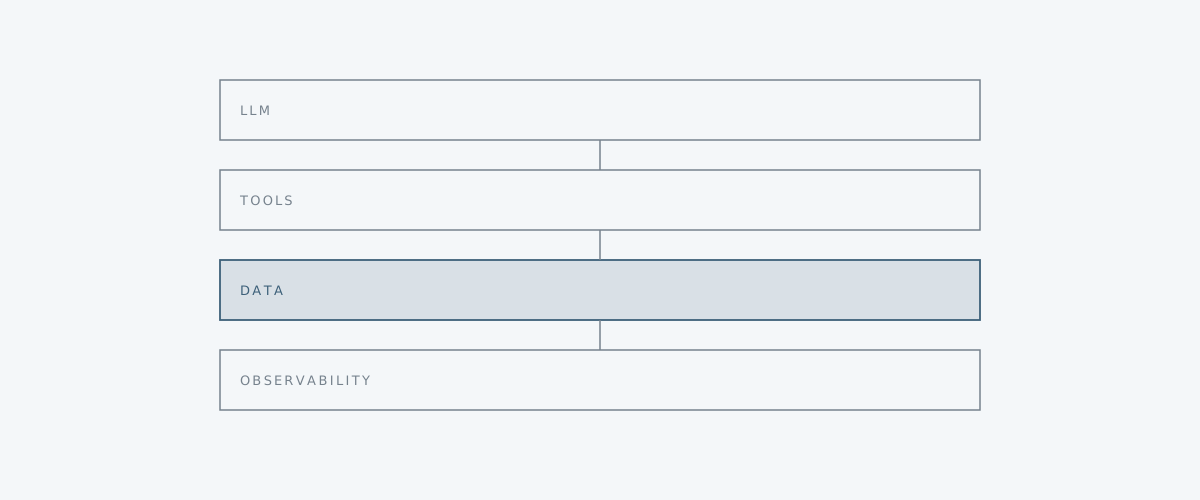
We split a production agent build into four layers, and we try very hard to keep them honest about their boundaries.
- The LLM layer (Large Language Model — the model itself, the prompt, retry logic, and the structured output schema we ask it to produce)
- The tool layer — each tool is a single typed function the model can call: read an invoice, post a journal entry, look up a customer
- The data layer — knowledge sources, the embeddings store, and a RAG (Retrieval-Augmented Generation — fetching relevant snippets and injecting them into the prompt) pipeline with explicit read and write boundaries
- The observability layer — structured logs, an evaluation harness, and a queue for things the agent should escalate to a human
Drawn out, it looks roughly like this:
               +-------------------+
               |     LLM layer     |
               | model + prompt +  |
               | structured output |
               +---------+---------+
                         |
              calls      |     reads context
                         v
   +---------------------+----------------------+
   |                                            |
   v                                            v
+--+--------------+                  +----------+----+
|   Tool layer    |                  |  Data layer   |
|  typed fns:     |  <-- look up --  |  RAG, vector  |
|  read_invoice,  |                  |  store, KB    |
|  post_journal,  |                  |  sources      |
|  lookup_cust    |                  +---------------+
+--+--------------+
   |
   | every call + result
   v
+--+-----------------------------------------------+
|              Observability layer                 |
|  logs, eval harness, escalation queue for humans |
+--------------------------------------------------+
None of the layers know more about each other than they need to. The LLM layer does not know that “post a journal entry” eventually hits Sage or Xero — it sees a typed function with a docstring. The tool layer does not know which model is calling it. The data layer hands back text and citations and does not care who asked. The observability layer sits underneath and watches everything.
This sounds obvious written down. In a hurry, on a Friday afternoon, with a client demo on Monday, it is easy to collapse two of these layers into one file and tell yourself you’ll refactor later. We have done this. It is always a mistake.
Why we keep them separated
Three reasons, in roughly descending order of how often they bite us.
Model swappability
Frontier model providers ship new versions on their own timetable. Prices change. Rate limits change. A model that was the right pick three months ago may now be twice the price of a competitor that scores the same on your evals. If your business logic is tangled into a specific provider’s SDK and prompt format, every swap is a small project. If the LLM layer is a thin adapter behind an interface — give it a prompt and tools, get back a structured response — swapping providers is an afternoon.
We also use this seam to fall back. If the primary provider is having a bad day (and they all have bad days), we want to route to a secondary without redeploying.
Auditability
For the kinds of clients we work with — accounts teams, ops managers, regulated professional services — “the AI did it” is not an acceptable answer when something goes wrong. Every tool call needs to produce a log line a human can read months later. Who called what, with which arguments, what came back, which prompt and model version was in play, how much it cost.
If the tool layer is a clean set of typed functions, this is almost free: you wrap the dispatcher once and every call is logged with the same shape. If tool calls are scattered through prompt strings and ad-hoc HTTP requests, you will never get consistent logs, and you will spend the first hour of every incident reconstructing what happened.
Cost control
Frontier models are not expensive in the abstract, but they get expensive quickly when an agent loop calls one ten times to decide which of three tools to run. The pattern we like: a cheaper, smaller model handles the routine “which tool should I call next and with what arguments” step, and a more capable model is reserved for the genuinely hard reasoning — drafting a reply to an awkward customer email, reconciling two messy data sources, deciding whether a flagged invoice is actually a duplicate.
You can only do this cleanly if the LLM layer is properly factored. Otherwise you end up using the expensive model for everything because that’s what the prompt was written against.
Where it goes wrong in practice
We’ve inherited or reviewed enough of these systems now to have a list. Three failure modes show up over and over.
The model writes directly to systems of record
The single most common mistake. Someone gives the agent a tool called update_customer or create_invoice and wires it straight to the production API. It works in testing. Then one day the model misreads a field, or hallucinates a customer ID, or decides to “fix” a row it shouldn’t have touched, and there’s a real mess to clean up.
The fix is boring and effective: introduce a “proposed action” step. The tool layer doesn’t write directly. It writes a proposed change to a queue. A second process — sometimes another small agent, sometimes a human, sometimes a rules engine — approves, rejects or modifies the proposal before it lands. For high-trust, low-blast-radius tools (read-only lookups, draft emails saved to a folder) you can skip this. For anything that mutates a system of record, you want it.
No evaluation harness
We see this constantly. The team builds the agent, it works on the three examples they tested it with, they ship. Six weeks later a model update lands or a prompt gets tweaked, and now it silently fails on a class of cases nobody had written down.
An evaluation harness is not glamorous. It is a folder of test cases — inputs, expected behaviour, sometimes expected exact outputs, sometimes just “did the right tool get called” — and a script that runs them on demand and in CI. You should be able to swap models and see, in numbers, whether things got better or worse. Without this, you are flying blind and every change is a guess.
You don’t need a heavyweight framework. A YAML file and a test runner gets you 80% of the value. Start there.
Hand-rolled RAG
Retrieval-Augmented Generation looks deceptively simple. Chunk the documents, embed them, do a similarity search, stuff the top results into the prompt. People write this from scratch in an afternoon and feel clever.
A month later, the bespoke version is slower than the off-the-shelf vector database, has worse recall because the chunking strategy was naive, doesn’t support metadata filtering, and is a pain to update when documents change. The well-trodden options — pgvector if you’re already on Postgres, or one of the established vector databases — have had thousands of engineer-hours spent on the boring edges. Use them. Spend your effort on chunking, on what to retrieve, on how to cite — not on reinventing approximate nearest neighbour search.
A note on costs and EU data
For Irish and EU clients, where the data lives matters. The good news is the two ends of the cost-performance spectrum both have credible EU options now.
For routine tool-orchestration work — the small, frequent calls — small open-source models run perfectly well on modest GPUs and can be self-hosted in EU regions on providers like Hetzner, Scaleway or OVH. The hardware cost is predictable and the data never leaves your jurisdiction. For the harder 10% of calls, the frontier APIs have EU endpoints and data processing agreements that most clients we work with are comfortable signing.
Whichever route you take, two things are non-negotiable: a per-tenant budget cap that hard-stops runaway loops, and a fallback path when the primary provider is unavailable. Both of these belong in the LLM layer, not sprinkled through the business logic.
When this architecture is overkill
We try to be honest about this. Not every problem needs four layers.
If the use case is a one-off document classifier, a single-purpose extractor that turns PDFs into rows, or a chatbot that answers questions from one knowledge base and does nothing else, a single well-structured LLM call with a typed output schema is usually enough. Wrap it in a small service, log the inputs and outputs, and move on.
The four-layer shape starts earning its keep when you have three or more tools, when the agent has any kind of state between calls, when the system has to write back to a place that matters, or when more than one person is going to be maintaining it six months from now. If you’re not in that territory yet, don’t pre-build the cathedral. Just keep the boundaries clean enough that you can grow into it if you need to.
The mistake we see most often is the opposite — teams that jump straight to a multi-agent framework with role-playing personas, when what they actually needed was one careful prompt and a JSON schema.
Want a hand?
We’re a small Irish engineering studio in Sligo and this is most of what we do — designing and building these systems for SMEs in ecommerce, manufacturing and professional services. Fixed prices, EU data residency, and we stay on the line after delivery. If you’ve got a process that looks like a candidate for an agent, or you’ve already started building one and want a second pair of eyes before it goes live, drop us a note at /#contact and we’ll have a proper conversation about it.